Geometry Dash
RobTop GamesArcade
4.7153.69K Reviews
- Version
- 2.2.144
- Installs
- 10.00M
- Age Rating
- Everyone 10+
Screenshots
Our Review of Geometry Dash
 Analysis by Appyee
I find the key question with Geometry Dash is whether you enjoy repeating a short stretch of play until your timing is exact. This is an arcade game built around rhythm and quick reactions, but it is not a relaxed music player with occasional obstacles: the beat helps you anticipate jumps, while a missed input can send you back through a section you thought you had mastered. If that kind of practice feels satisfying rather than punishing, Geometry Dash can turn brief spare moments into a surprisingly absorbing challenge.
Choose it for precision, not for a casual soundtrack
The controls are easy to understand, which makes the game approachable at first, but that simplicity can be misleading. Progress depends on learning when to act, noticing the shape and spacing of obstacles, and keeping your focus through repeated attempts. I would recommend it to someone who likes testing a skill in small increments. I would be more cautious about suggesting it to a player who wants a forgiving platform game, a story-led adventure, or music that can simply run in the background.
It also helps to decide what you want from an arcade game. Some alternatives in the category are better suited to short, low-pressure diversions; others emphasize exploration or a changing set of activities. Geometry Dash takes a narrower route: its appeal comes from the close relationship between movement, obstacles, and the soundtrack. That focus gives the game a distinctive rhythm, but it also means that repetition is part of the deal rather than an occasional detour.
A useful fit for small breaks—and for deliberate practice
A realistic way to play is to open a level while waiting for a ride or taking a short break, then focus on one difficult passage instead of expecting to finish immediately. If I keep failing at the same point, I treat each attempt as a chance to learn the timing rather than as a fresh surprise. That shift makes retries feel more purposeful. It also gives me a natural stopping point: when concentration drops and mistakes become careless, I can put the game down rather than turn a quick session into an irritating one.
For a better practice routine, I would separate learning a section from trying to complete an entire level. Pay attention to what happens just before a jump, not only to the moment you tap. The music can act as a timing cue, but visual attention still matters; following the beat without watching the path is not enough. When a sequence becomes familiar, the combination of sound and sight can make your response feel more consistent. This is a practical strength of the design, not a promise that every difficult section will suddenly become easy.
The game is most rewarding if you like seeing your own improvement. A player who enjoys mastering a precise sequence may find a failed run informative, while someone who measures fun mainly by quick wins may see the same retry loop as wasted time. That difference is worth considering before paying for it. The challenge is central to the experience, so there is no point choosing it on the assumption that later play will become effortless.
What the editor and player-created levels change
Customizing the character gives progression a personal touch, but the larger reason to keep exploring is the user-created content. Community levels can take the basic idea in many directions, and that makes the game feel less limited to its built-in course of challenges. It also changes how I would approach the game after learning the basics: rather than treating completion as the only goal, I can look for levels that suit my current patience and skill.
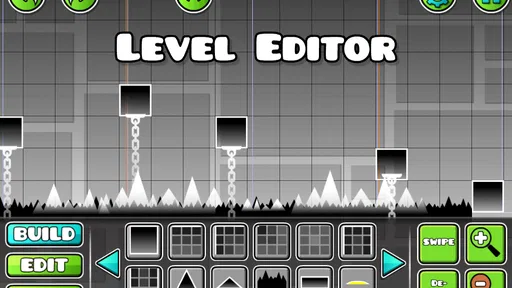
There is a trade-off, though. A large pool of player-made levels can be exciting, but it can also make choosing what to play less straightforward than following a fixed sequence. If I want a clear, guided path, the structured levels are the simpler place to start. If I am in the mood to browse and experiment, community creations offer a reason to return. The editor adds another kind of appeal for players who like building and testing ideas, though creating a satisfying level takes a different mindset from simply clearing one.
Before making a purchase, it is sensible to ask whether you will use that variety. If you mainly want a few quick attempts at a familiar challenge, the core game may be enough. If you enjoy exploring other players’ work or making your own, those options give the experience more room to grow. Either way, the game rewards curiosity more than passive play: the most satisfying moments usually come from engaging with a particular obstacle, pattern, or level rather than letting the game run while your attention is elsewhere.
Jumping Into the World of Geometry Dash
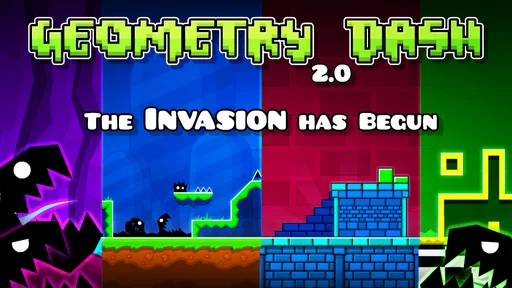
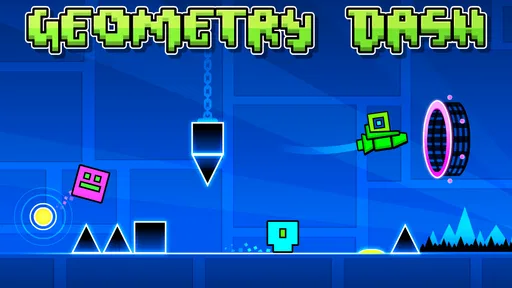
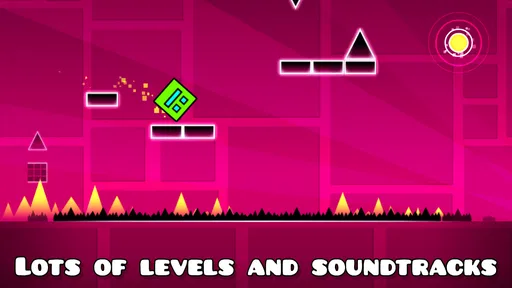
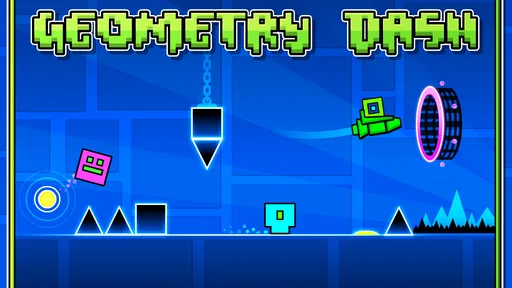
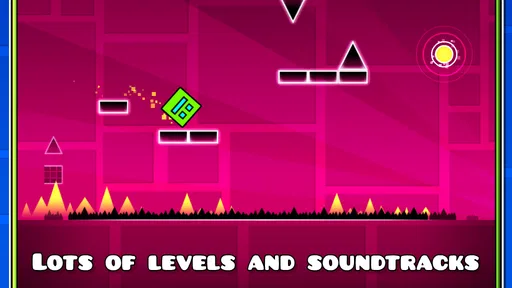
When you first open Geometry Dash, you're greeted by a minimalistic yet vibrant interface that's pretty inviting. The game’s design is all about sharp, geometric shapes and bright colors, which somehow manage to keep you glued to the screen despite their simplicity.
At its core, Geometry Dash is a platformer where you guide a square through various obstacles. But here's the twist: everything moves to the beat of the background music. Timing is everything, and I can’t stress enough how satisfying it is to nail that perfect jump right in sync with the beat.
Gameplay That Keeps You on Your Toes
The gameplay is straightforward but challenging. You tap to jump, and that's about it. Sounds easy, right? Well, think again. The game’s difficulty ramps up pretty quickly, and it demands precision and patience. One wrong move, and you're back to the beginning of the level. It's one of those "just one more try" games that you can’t put down.
Each level has its own unique soundtrack, and the music is a huge part of the experience. It's upbeat, catchy, and perfectly complements the frenetic pace of the game. I found myself bobbing my head along to the rhythm more than once while trying to dodge spikes and navigate tricky jumps.
Customization and Community Levels
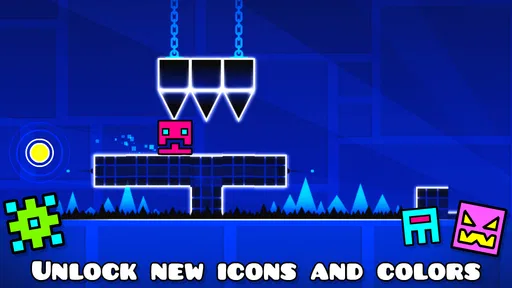
One of the coolest features in Geometry Dash is the ability to customize your character. You earn different icons and colors as you progress, allowing you to tweak your square’s appearance to your liking. It’s a small touch, but it adds a bit of personal flair to your gameplay.
But the fun doesn't stop there. The game also boasts a robust level editor that lets you create your own levels and share them with the community. There are thousands of user-generated levels to explore, each with varying degrees of difficulty. Diving into these community creations is a fantastic way to extend the life of the game and challenge yourself with fresh content.
Mastering the Challenge
What I appreciate about Geometry Dash is how it strikes a balance between frustration and fun. Sure, you’re going to fail—a lot. But each attempt feels like a step closer to victory, and the sense of accomplishment you get from completing a tough level is genuinely rewarding.
There’s a certain thrill in mastering a level that seemed impossible at first. And trust me, the feeling of finally getting past that tricky section you’ve been stuck on is worth every failed attempt.
Is the challenge worth the commitment?
The cost of switching to this style of game is mostly a matter of attention and temperament. If I move from a gentler arcade game, I need to accept that retries are not a side effect but the basic way I learn. If I move from a more open platformer, I should expect less emphasis on wandering and more on reading a sequence and responding precisely. The payoff is a focused loop that can make a small improvement feel meaningful; the cost is that a run can be discouraging when I am tired or distracted.
It is also a paid game, priced at $2.99, so I would think about whether I want this particular kind of challenge rather than buying it just because it looks colorful. RobTop Games is the developer, and the game has been available since Aug 12, 2013. Its current version is 2.2.144, and it requires Android 6.0 or later. The age rating is Everyone 10+. Those details make the purchase easier to judge, but the deciding factor remains whether precise, repeatable play sounds enjoyable to you.
Its audience is substantial: it has over 10 million installs, around 1 million ratings, and about 150,000 written reviews, with a 4.7 average rating. I take that as a sign that the format has lasting appeal for many players, not as a guarantee that its retry-heavy design will suit everyone. Ratings cannot tell you whether you personally enjoy repeating a section, so I would use the gameplay style—not popularity alone—as the deciding test.
One practical question is whether it works for a player who is new to rhythm games. I think it can, because the central action is easy to grasp and the visual obstacles give you information beyond the music. Still, beginners should expect a learning curve. It is better to treat early failures as practice than to assume that understanding the controls means every level will be immediately manageable.
Another is whether it suits very short sessions. It can, especially when you choose a modest goal such as learning one troublesome sequence, but a quick session does not guarantee a completed level. If you need a game that reliably offers a tidy finish every time you open it, a gentler arcade option may be a better fit. Geometry Dash is more satisfying when I can leave a challenge unfinished and return to it without feeling that the session was wasted.
For younger players, the Everyone 10+ rating is useful context, but I would still consider how they handle repeated failure and fast visual action. The simple presentation does not make the challenge simple, and a player who becomes upset by restarting may have a better time with a less demanding game. For adults who like short bursts of focused play, on the other hand, its direct controls make it easy to pick up without needing a long warm-up.
Where other arcade games may be the better choice
If I want exploration, a relaxed pace, or a sequence of varied activities, I would choose another kind of platformer or arcade game. Those alternatives can offer more room to improvise and less pressure to reproduce exact timing. If I want a game that makes rhythm itself the center of attention, Geometry Dash is the more compelling choice. The distinction is not that one style is universally better: it is about whether I would rather experiment freely or refine a demanding sequence.
Players who enjoy making things may also want to compare the level editor with games focused primarily on creation. Here, building is part of a larger play experience, not the only reason to open the game. That is a good fit if I want to alternate between playing and designing, but less suitable if my main goal is a dedicated construction tool. Likewise, someone looking for an ongoing story should pick a narrative game instead; this one earns its appeal through action, music, and mastery.
A clear recommendation for the right kind of player
Overall, I recommend it to players who like arcade challenges with immediate controls, strong musical cues, and enough persistence to learn a level through repeated attempts. The community content and editor give curious players more to explore than a single fixed challenge, while customization adds a modest personal reward along the way. I would skip it if I know I dislike restarting, want a forgiving experience, or prefer exploration and story over precision.
The best way to decide is to be honest about what makes a game fun for you. If you enjoy noticing a mistake, adjusting your timing, and trying again with a clearer plan, this is a strong fit. If you mainly want to switch off and coast through a few minutes, choose a calmer alternative. For me, Geometry Dash is at its best when I treat it as a compact skill challenge: demanding, sometimes irritating, but rewarding when concentration finally turns a stubborn section into a clean run.
Verdict
Strengths of Geometry Dash
- Addictive gameplay keeps users engaged.
- Vibrant graphics with smooth animations.
- Challenging levels enhance problem-solving skills.
- Customizable character options are fun.
- Frequent updates add new features.
Limitations of Geometry Dash
- High difficulty may frustrate new players.
- In-app purchases can be pricey.
- Limited free levels in the base version.
- Occasional bugs affect gameplay.
- Requires precision, not for casual play.
Other Releases by RobTop Games
View All
Geometry Dash Lite
Arcade4.4

Geometry Dash World
Arcade4.5

Geometry Dash SubZero
Arcade4.5

Geometry Dash Meltdown
Arcade4.6
Similar Picks in This Category
View All
Subway Surfers
SYBO Games4.6

Stickman Party 234 MiniGames
PlayMax Game Studio4.6

Subway Princess Runner
Ivy4.4

Temple Run
Imangi Studios4.2

Zombie Tsunami
Mobigame SAS4.6

Stack Ball - Crash Platforms
CASUAL AZUR GAMES4.5
Frequently Asked Questions
What is Geometry Dash and how do you play it?
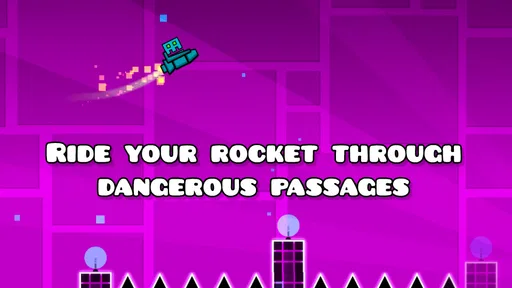
Geometry Dash is a fast-paced rhythm-based platformer game where players control a customizable cube, navigating through a series of challenging levels filled with obstacles. The objective is to reach the end of each level without crashing. Players tap the screen to jump, fly, and flip, timing their actions to the background music.
Is Geometry Dash free to download and are there in-app purchases?
Geometry Dash offers different versions; the Lite version is free and gives access to a limited number of levels. The full version, which is a paid app, provides more levels, features, and customization options. It does not have in-app purchases, meaning the purchase covers all content without additional costs.
Can I create my own levels in Geometry Dash?
Yes, Geometry Dash includes a level editor feature. Players can design their own levels and share them with the community. The editor allows for a wide range of customization, enabling users to create unique challenges. This feature is more accessible in the full version of the game, offering more tools and flexibility.
What devices support Geometry Dash, and are there system requirements?
Geometry Dash is available on both Android and iOS platforms. It runs smoothly on most modern devices, but it’s important to have a stable operating system and enough storage space. For optimal performance, devices should at least meet the minimum OS requirements: Android 4.0 or iOS 6.0 and above.
What are some tips to succeed in Geometry Dash?
To excel in Geometry Dash, players should practice levels to memorize patterns and improve timing. Listening to the rhythm of the background music can help with timing jumps and movements. Also, utilizing practice mode allows players to focus on difficult sections, making it easier to navigate through the levels without starting over.
Play our best games!


